

.jpg "An Overview of the Functions")
An Overview of the Functions
Intuitive navigation
An animated cursor makes it easy to follow the progress of the music in the score - even if you have little experience of choral music. The app combines the original piano scores from Carus with complete recordings by leading performers such as Frieder Bernius, Hans-Christoph Rademann, Philippe Herrewege and René Jacobs. You can jump directly to any part of the work and make it audible.
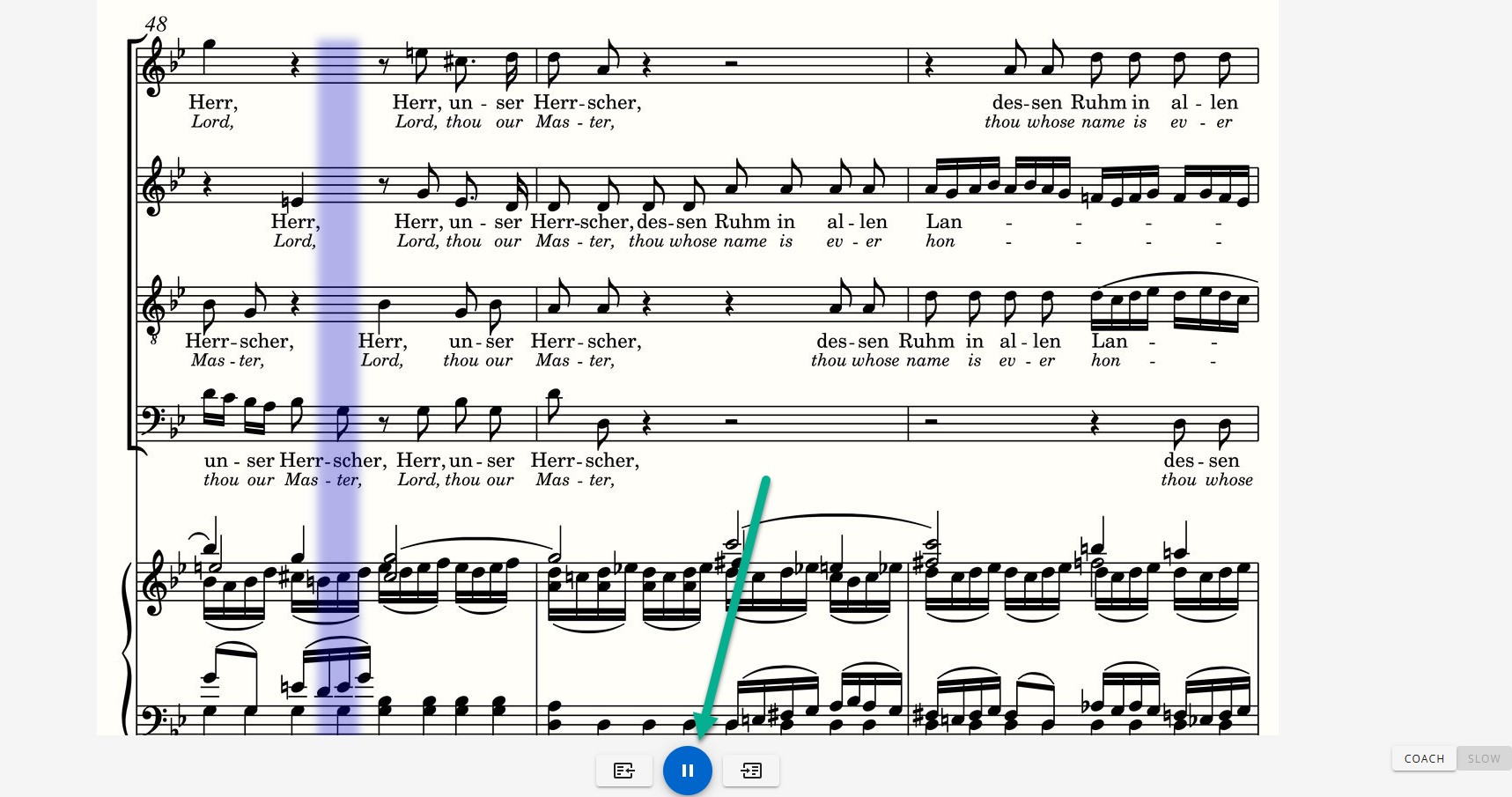
Coach
You practise your voice in the overall sound of the choir and instruments. Your choir voice will be accompanied by a clearly audible piano, just as in a choir rehearsal.
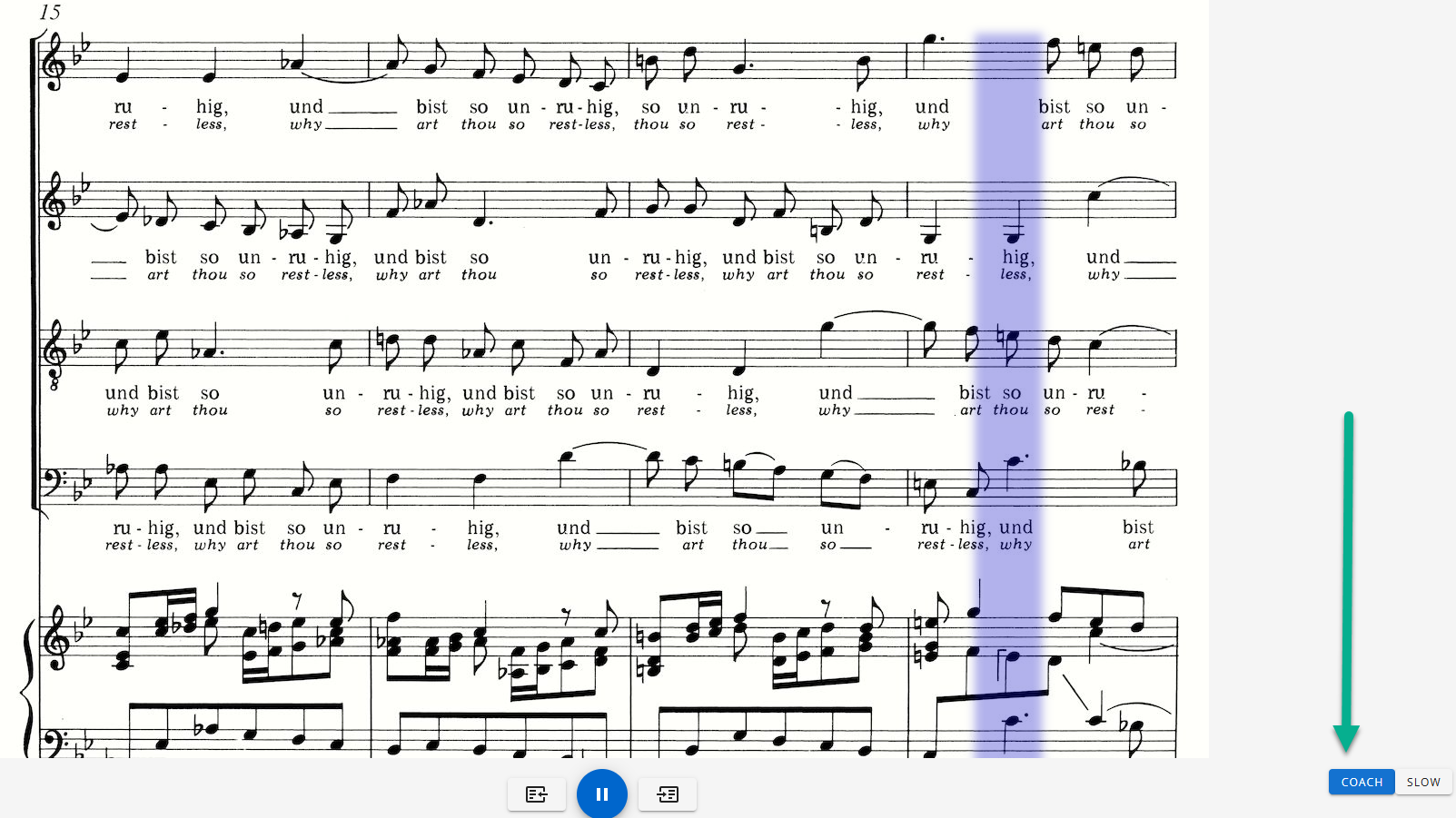
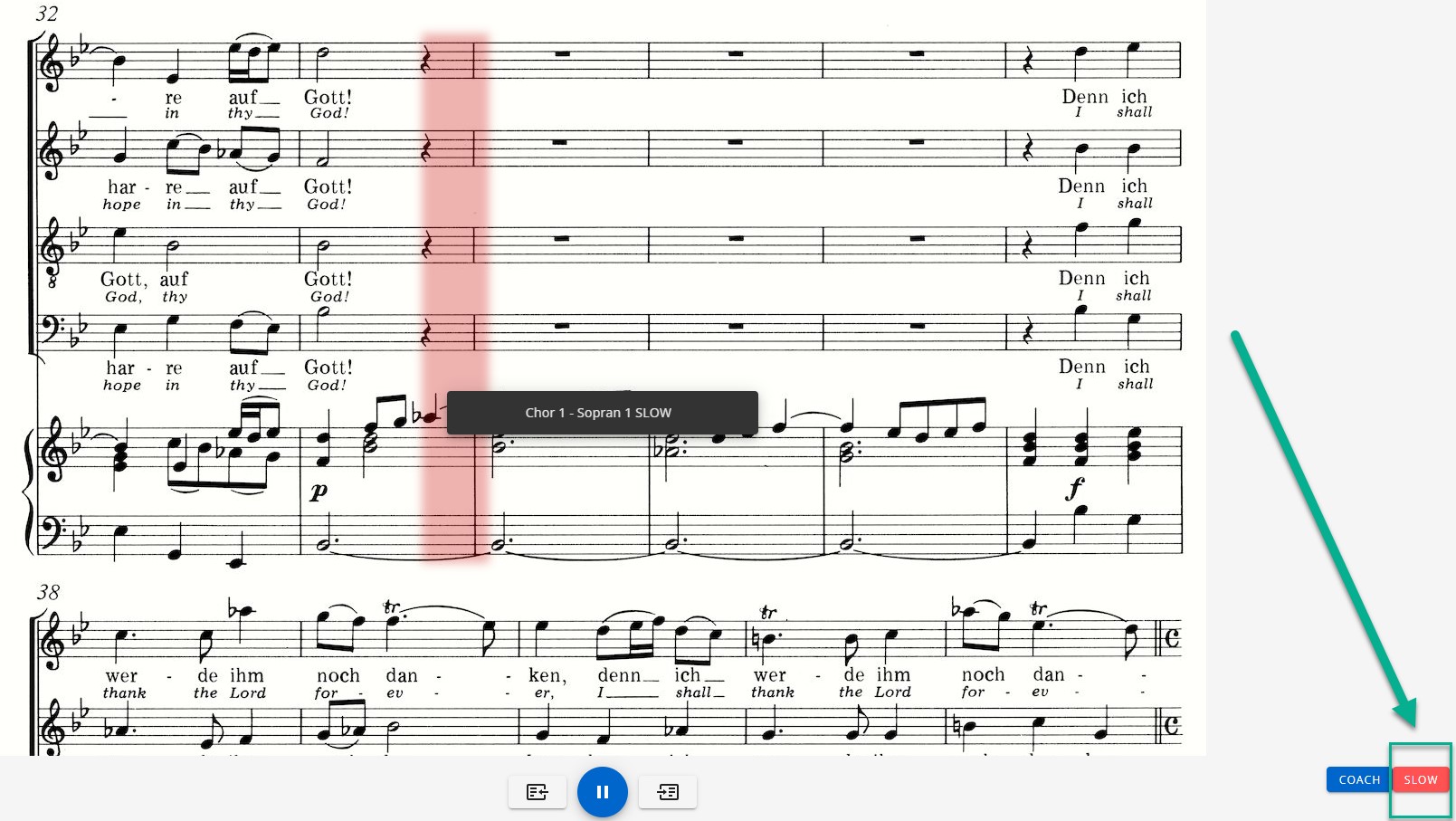
Slow mode
Slow mode is available for difficult and faster passages. The coach slows down the tempo to around 70%. This allows you to learn complicated passages quickly and reliably.
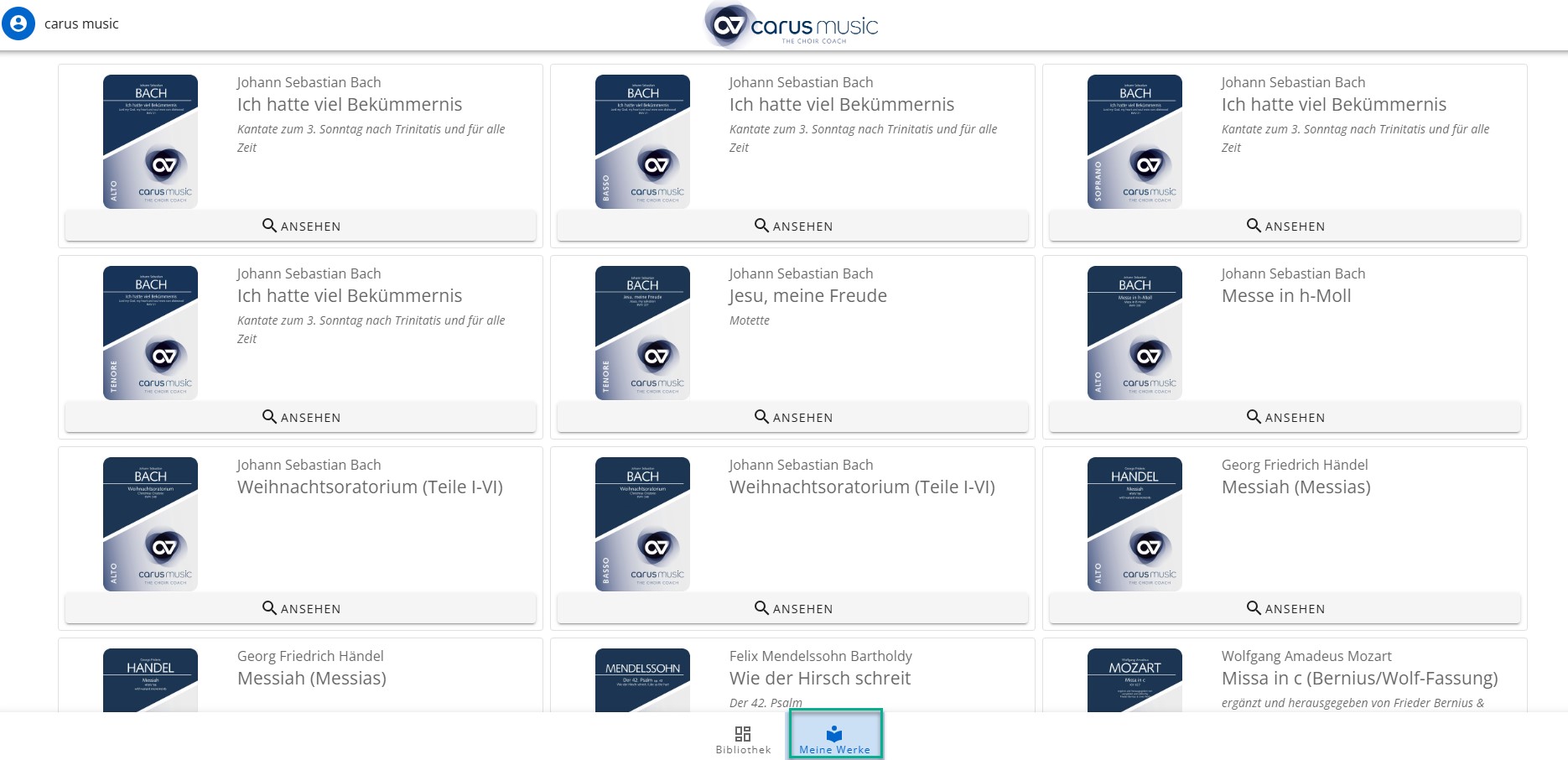
Library
The “My works” section is your own personal library. Here you will find an overview of all the works you have already purchased:
Turning pages
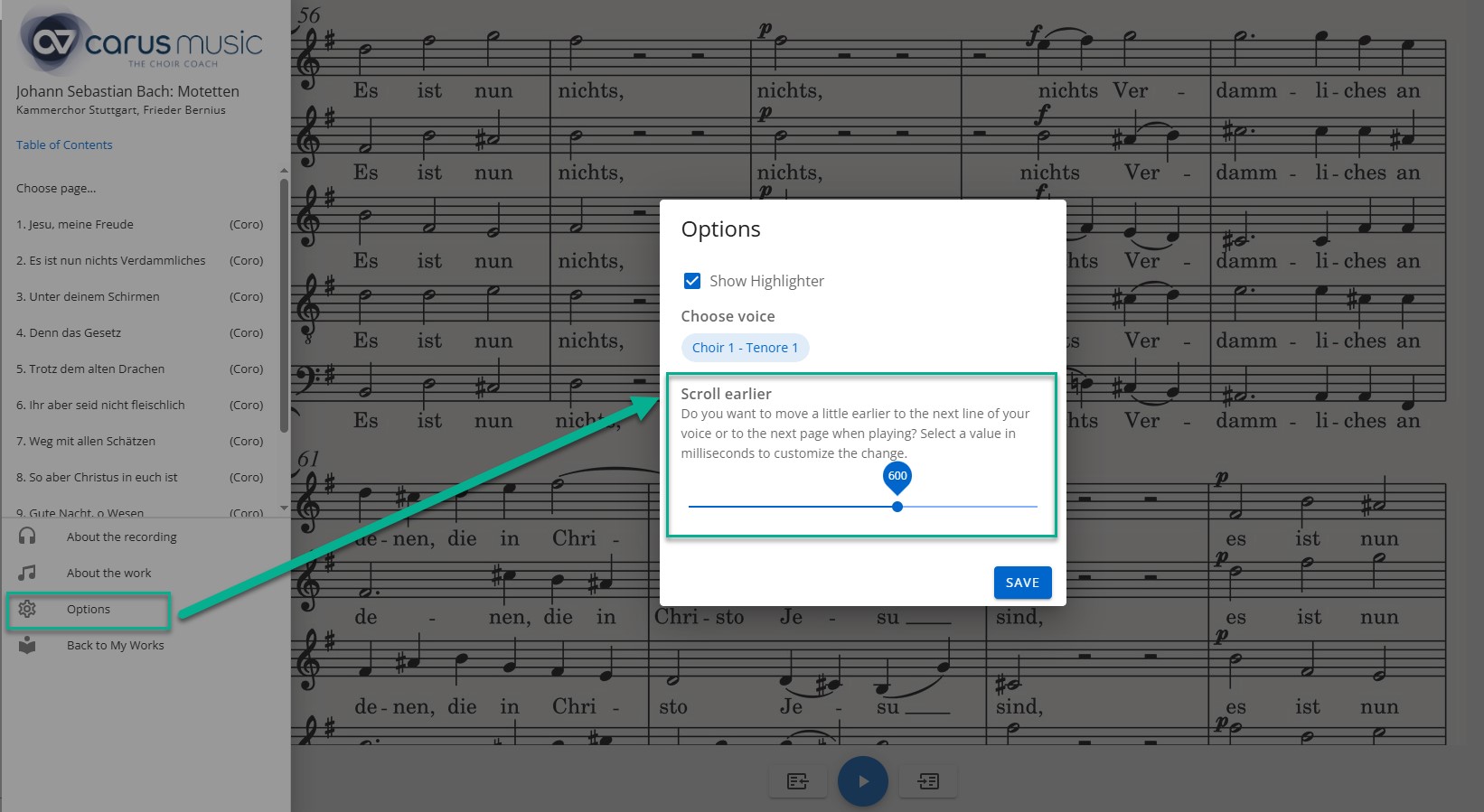
For automatic page turning, you can select a value in milliseconds in the settings and thus specify how soon the app should automatically switch to the next page.
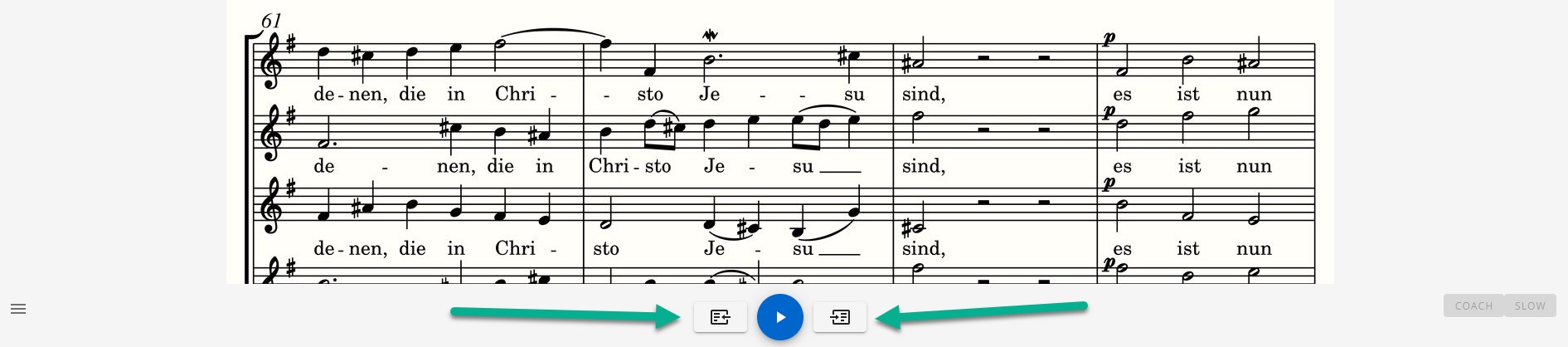
You can also scroll forwards and backwards manually if required.
Loops
You can select any bar range, e. g. to practise more difficult passages in a continuous loop. You can set as many loops as you like. Use the slider to select the desired bar ranges and add them using the green (+) sign on the left:
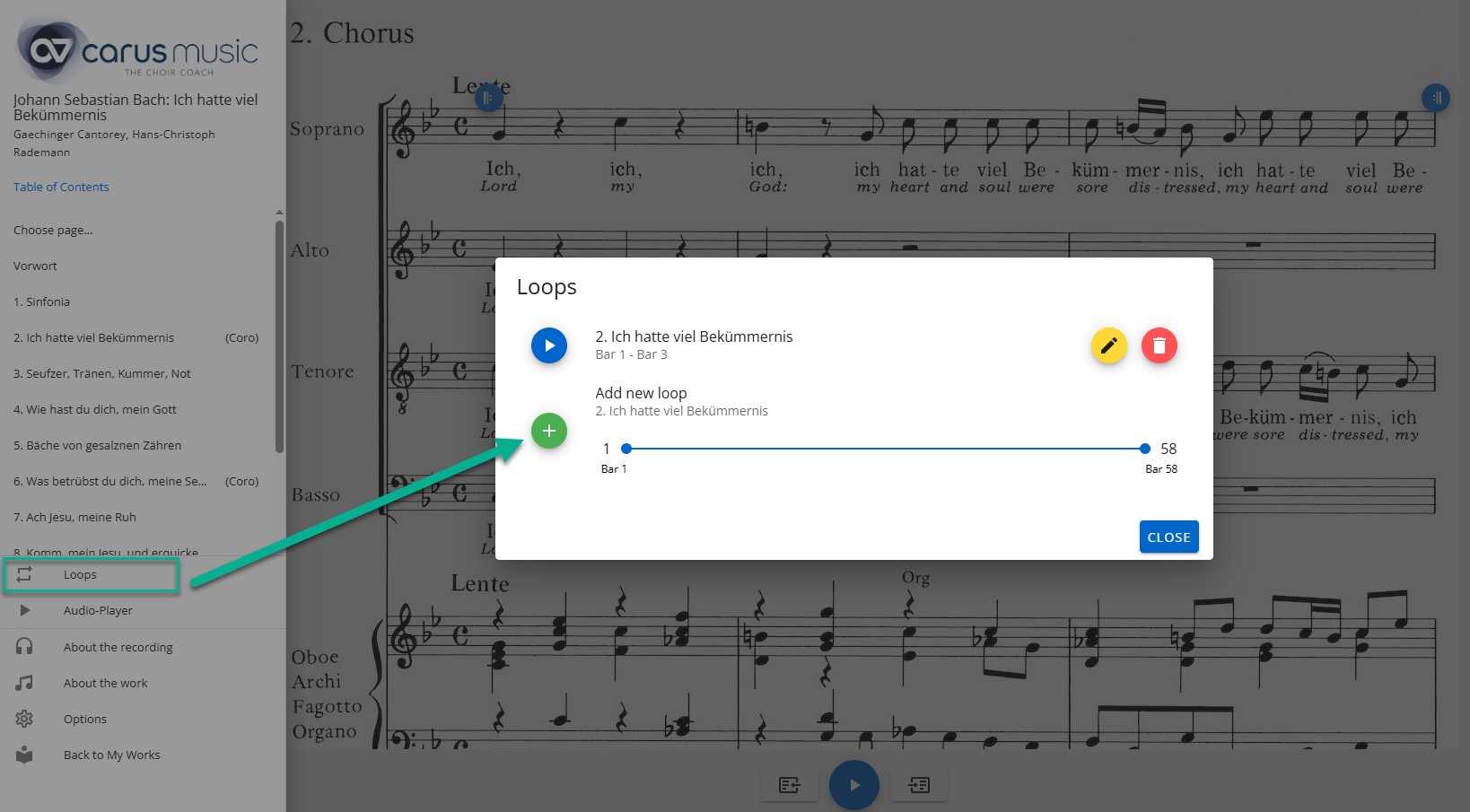
Complete bars are always considered.
The respective loop is visualised in the work by the signs for the start and end of the repetition:
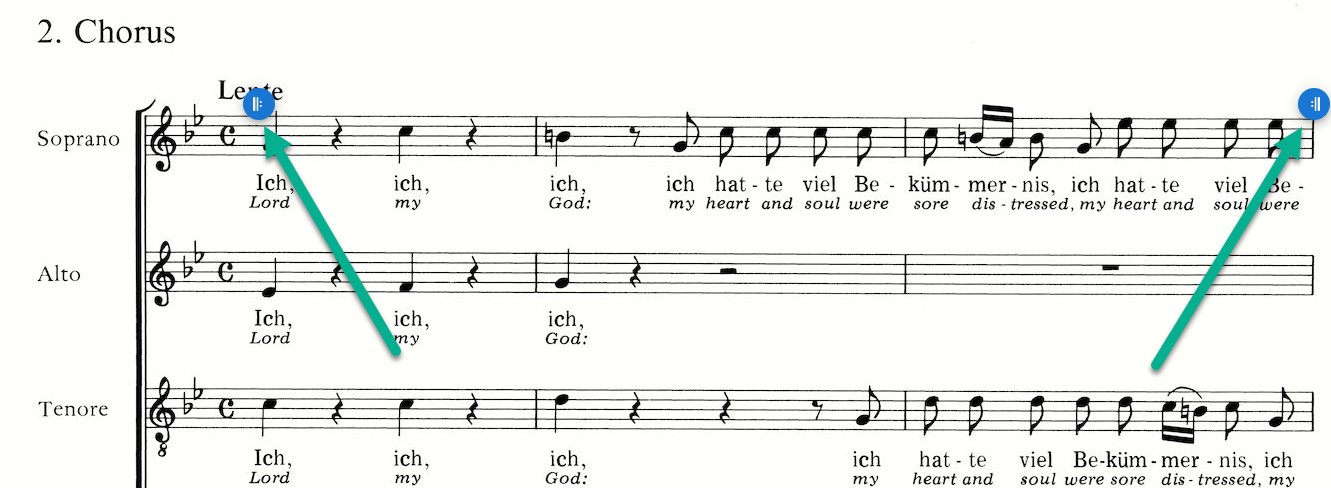
If you click on these icons, a submenu appears that you can use to customize your loops as required:
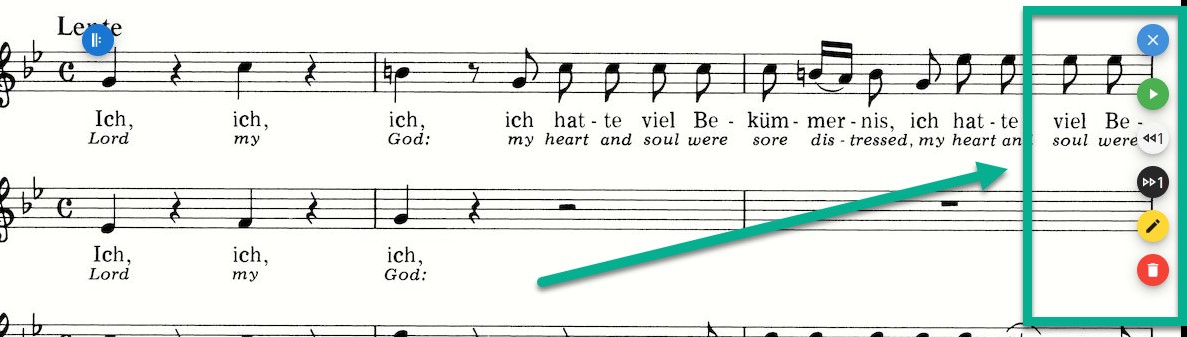
- Play
- Minus 1 bar
- Plus 1 bar
- Edit
- Delete
You can also use the app menu on the left-hand side
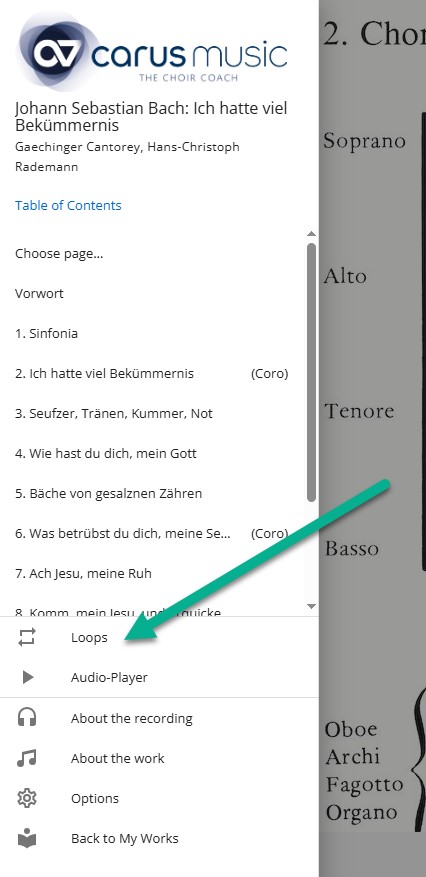
to set, change and delete your loops as required:
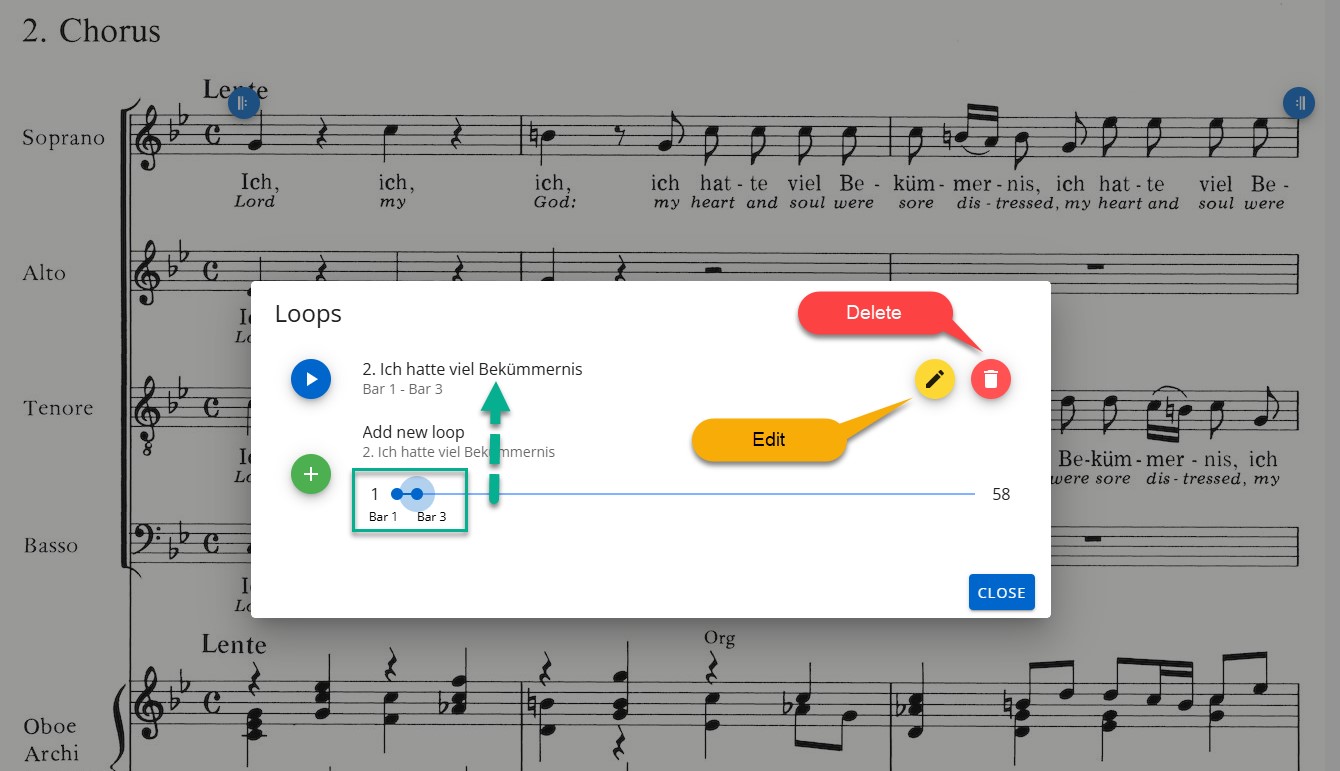
Created loops are also displayed in the audio player:
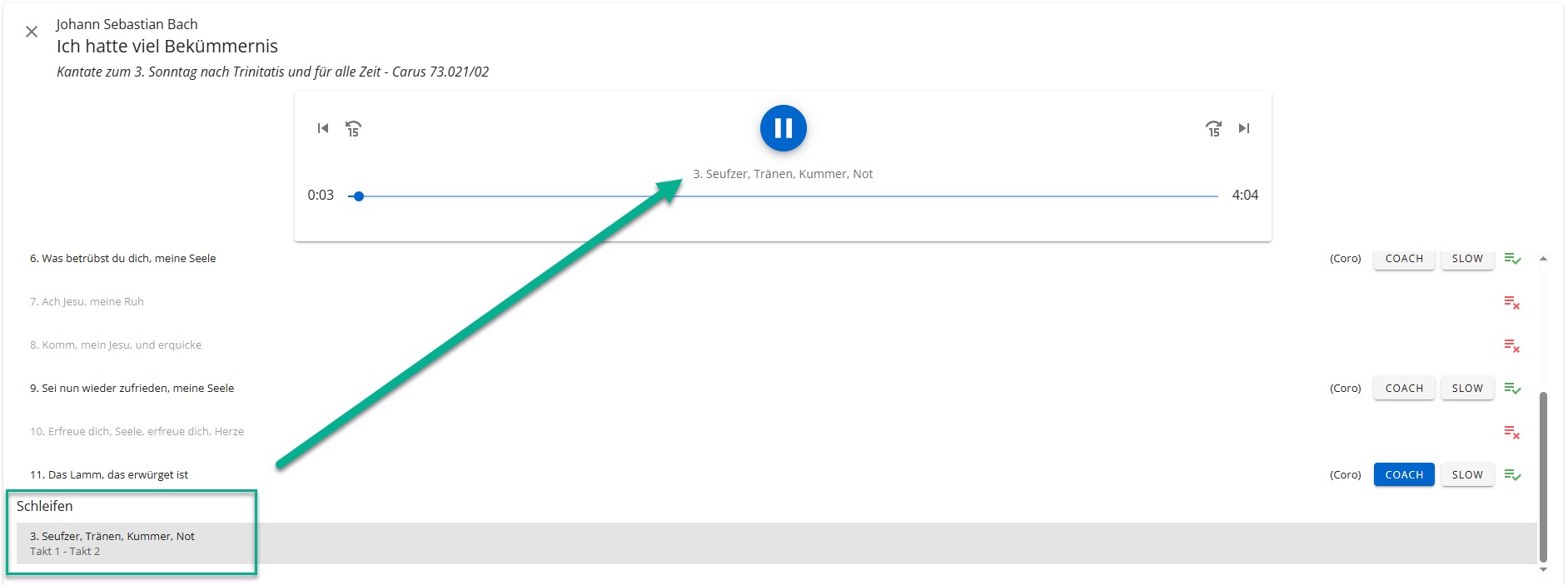
You can currently use this feature with the most popular works that are practiced the most. This practical function will be gradually extended to all works in carus music.
Audio player
In the audio player, all parts of the work can be played back automatically in continuous playback, i.e. as a recording, as a coach and as a coach in slow mode.
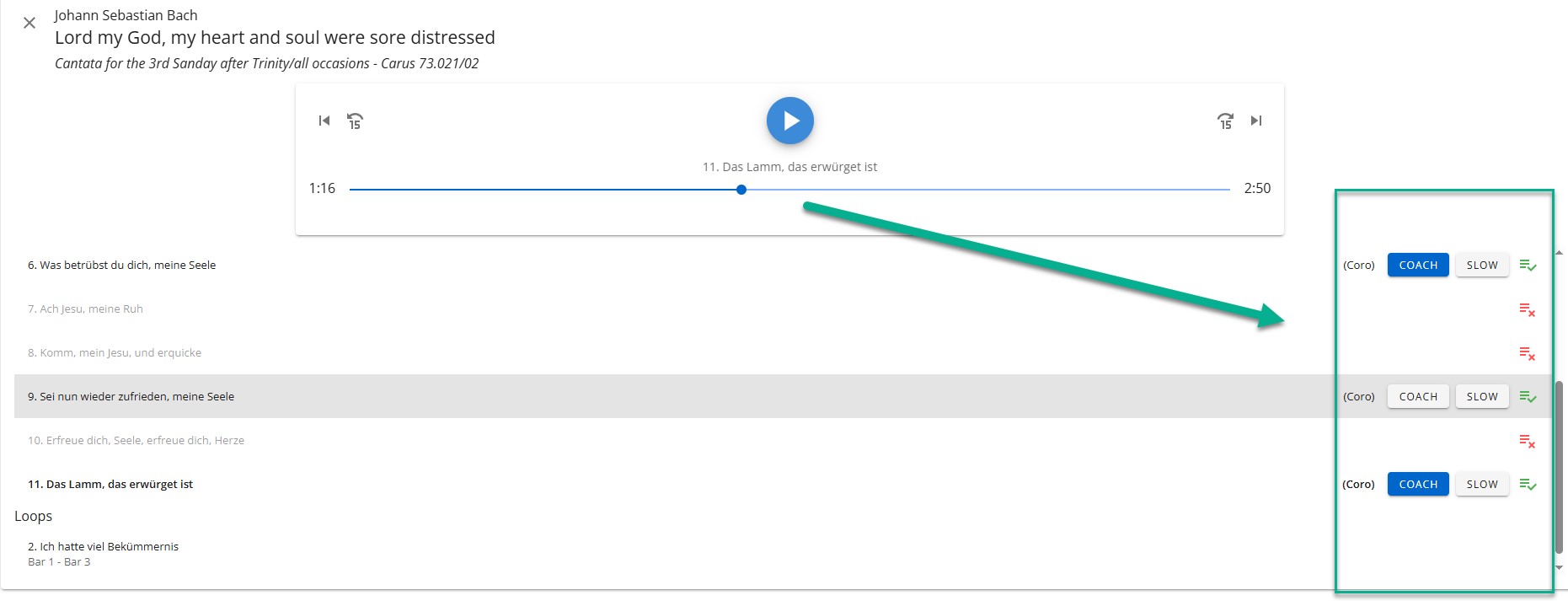
The Audio Player feature allows you to choose which parts of the work to play or skip. To do this, simply click on the appropriate icon. The basic order of tracks and loops cannot be changed.
Any loops set will be displayed and played in the audio player after the work parts. Please note that in this mode the loops will continue to play and will not automatically switch to the next part of the work. In this case, manual intervention is required.
Offline use
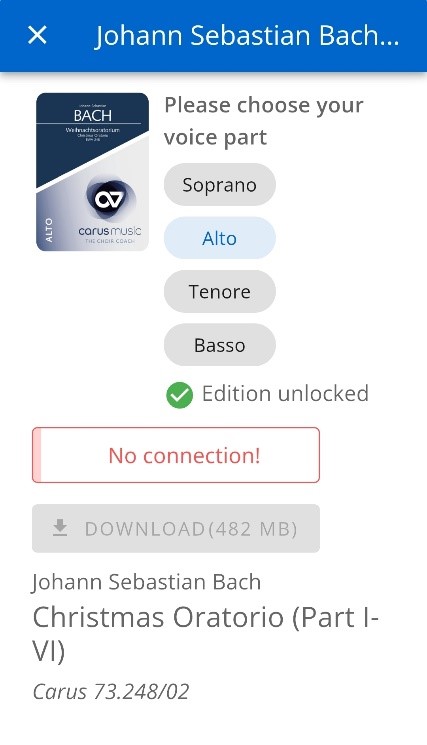
You can also practise offline. You don't need to be online, just open the app as usual. Click on the work and the voice you have purchased. You will now see the message 'No internet connection', but the 'Open' button will still be available and you can use the practice tool as usual.
Multilingualism
carus music is available in four languages.

Have you always wanted to go to your next choir rehearsal well prepared and without stumbling over difficult passages? With carus music this is finally possible: learn your choir part in no time at all - with or without knowledge of sheet music.
You can buy your works and parts here.